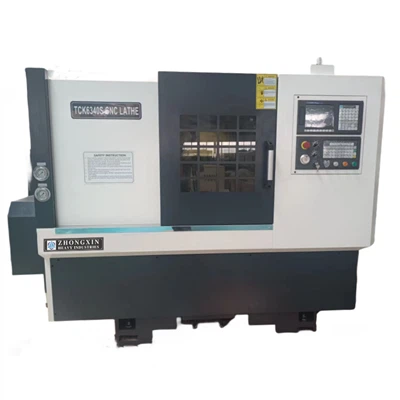
Hey there! If you're into the machining world, you've probably heard about horizontal CNC lathe machines. As a supplier of these amazing pieces of equipment, I'm stoked to share some tips on how to program one. Let's dive right in!
Understanding the Basics of Horizontal CNC Lathe Machines
First off, what's a horizontal CNC lathe machine? Well, it's a super - cool tool that uses computer numerical control (CNC) to automate the turning process. Unlike manual lathes, these bad boys can perform complex operations with high precision and repeatability. You can check out our Horizontal CNC Lathe Machine for more details.
The horizontal orientation of the lathe means the spindle is horizontal, which is great for a wide range of turning jobs. It can handle everything from small, delicate parts to large, heavy - duty components. And if you're dealing with really tough jobs, our Cnc Lathe Machine Heavy Duty is the way to go.
Getting Familiar with the Programming Language
To program a horizontal CNC lathe machine, you need to know the programming language. The most common one is G - code. It's like the secret code that tells the machine what to do. G - code is made up of a series of commands that control things like the movement of the tool, the speed of the spindle, and the feed rate.
For example, the G00 command is used for rapid positioning. It moves the tool to a specific location as fast as possible. Let's say you want to move the tool to the X10 Z20 position. You'd write "G00 X10 Z20" in your program.
Another important command is G01, which is for linear interpolation. This means the tool moves in a straight line at a specified feed rate. So, if you want to move the tool from the current position to X20 Z30 at a feed rate of 0.1 mm/rev, you'd write "G01 X20 Z30 F0.1".
Setting Up the Workpiece and Tool
Before you start programming, you need to set up the workpiece and the tool properly. First, mount the workpiece securely on the chuck. Make sure it's centered and tightened down well. You don't want it flying off during the machining process!
Next, select the right tool for the job. Different tools are used for different operations, like roughing, finishing, or threading. Once you've chosen the tool, mount it on the tool post. Adjust the height and position of the tool so that it's in the correct place to start machining.
If you're working on small parts and need more flexibility, our Small CNC Lathe with Live Tooling can be a game - changer. It allows you to perform additional operations like milling and drilling right on the lathe.
Creating the Program
Now, let's start creating the program. You can use a CNC programming software or write the code manually. If you're new to programming, using software can be a great way to get started. It has a user - friendly interface and can help you generate the code quickly.
Here's a simple example of a program for turning a cylindrical part:
O1000 ; Program number
N10 G21 ; Set units to millimeters
N20 G97 S1000 M03 ; Set spindle speed to 1000 rpm and start spindle clockwise
N30 G00 X50 Z2 ; Rapid positioning to start position
N40 G01 Z - 50 F0.2 ; Linear interpolation to turn the part
N50 G00 X100 Z100 ; Rapid retract
N60 M05 ; Stop the spindle
N70 M30 ; End of program
Let's break this program down. The first line "O1000" is the program number. It's just a way to identify the program. "N10 G21" sets the units to millimeters. "N20 G97 S1000 M03" sets the spindle speed to 1000 rpm and starts the spindle rotating clockwise.
"N30 G00 X50 Z2" moves the tool to the starting position. "N40 G01 Z - 50 F0.2" turns the part by moving the tool along the Z - axis at a feed rate of 0.2 mm/rev. "N50 G00 X100 Z100" retracts the tool, and "N60 M05" stops the spindle. Finally, "N70 M30" ends the program.
Testing and Debugging the Program
Once you've written the program, it's time to test it. But before you run it on the machine with a real workpiece, it's a good idea to do a dry run. This means running the program without any material in the machine. It helps you check if the tool paths are correct and if there are any errors in the program.
If you find any errors, don't worry. Debugging is a normal part of the programming process. You might have made a mistake in the G - code, like a wrong coordinate or a missing command. Go back to your program, fix the error, and do another dry run until everything looks good.
Optimizing the Program
After you've tested the program and it's running smoothly, you can start optimizing it. This involves making the program more efficient, reducing the machining time, and improving the quality of the finished part.
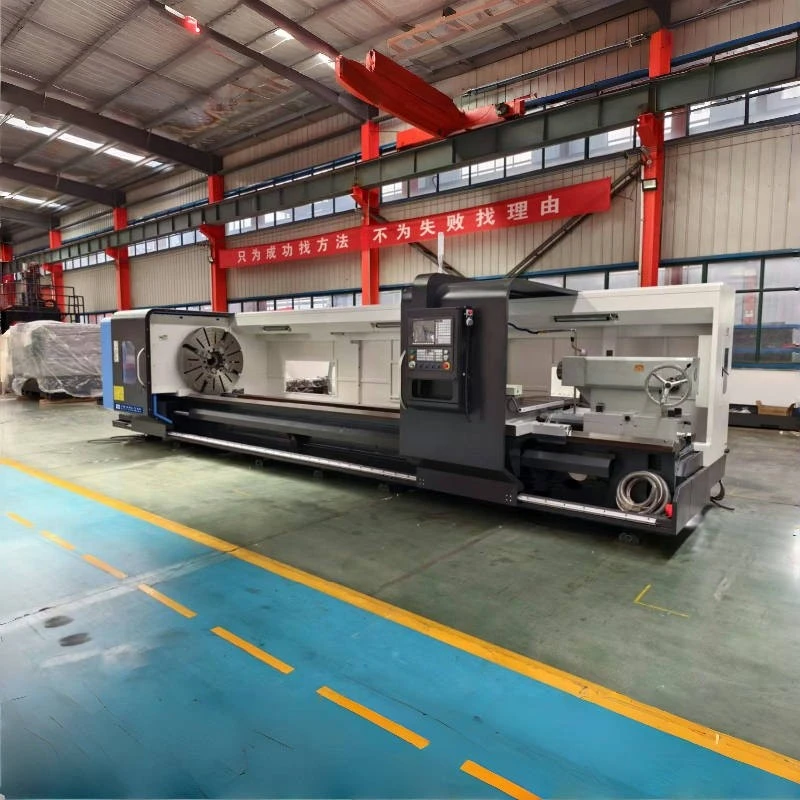

One way to optimize the program is to adjust the feed rate and spindle speed. You can experiment with different values to find the best combination for your specific job. For example, a higher feed rate can reduce the machining time, but it might also affect the surface finish of the part.
Another thing you can do is to use canned cycles. Canned cycles are pre - programmed sequences of commands that perform common operations, like threading or drilling. They can save you a lot of time and make your program shorter and easier to manage.
Conclusion
Programming a horizontal CNC lathe machine might seem daunting at first, but with the right knowledge and practice, you'll be a pro in no time. Remember to understand the basics, learn the programming language, set up the workpiece and tool correctly, create a well - structured program, test and debug it, and then optimize it for better results.
If you're in the market for a horizontal CNC lathe machine or need more information on programming, don't hesitate to reach out. We're here to help you with all your machining needs. Whether you're a small - scale workshop or a large manufacturing plant, we've got the right machine for you. Let's start a conversation and see how we can work together to take your machining operations to the next level.
References
- "CNC Programming Handbook" by Steven J. Owen
- "Mastering CNC Programming" by Tony Schmitz